Ticket types define who can attend, how many spots exist, and when sales close.
Create a ticket type
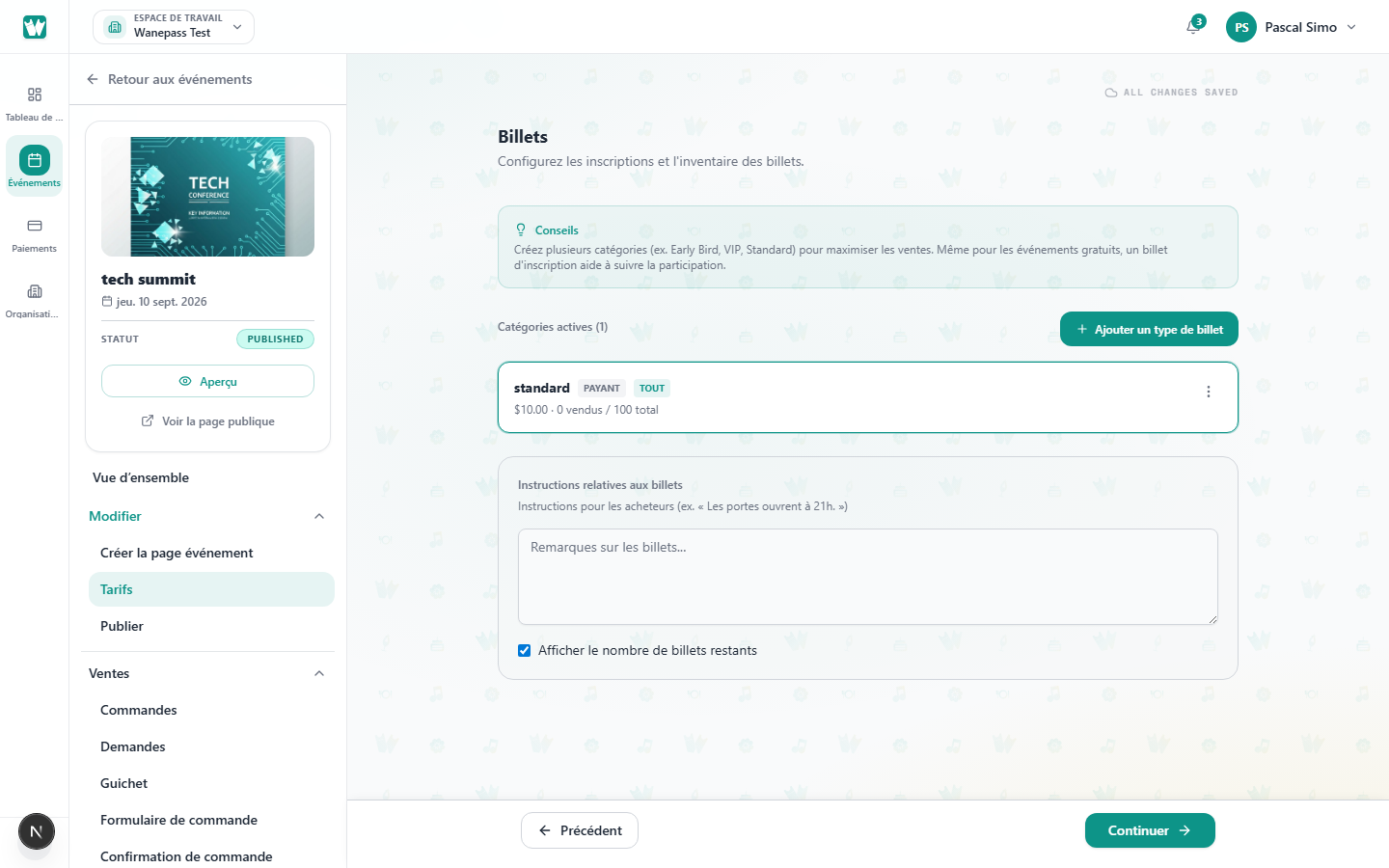
- Open your event → Tickets.
- Click Add ticket type.
- Set name, description, and quantity cap (optional).
- Choose which dates the ticket applies to (single or recurring events).
The Tickets step has two tabs:
- Principal — ticket types, the charge currency, and payment methods.
- Promotions — automatic discounts and codes. A discount applies on its own during the sale window. A code is entered by the buyer.
See Automatic event discounts and Promo codes and access codes.
Free, paid, and donation
- Free / RSVP — no Wanepass platform fee.
- Paid — set a price greater than 0 and choose whether the buyer pays the Wanepass 3.5% platform fee or you absorb it. Stripe processing (typically 2.9% + $0.30) is extra and always comes out of your payout. Choose which payment methods this ticket accepts (card and/or mobile money), the same way as donation tickets. Only methods already set up for your organization are shown — Stripe for cards, a verified PawaPay payout number for mobile money. If just one is set up, it is selected for you. Paid and donation tickets cannot be saved until at least one method can charge the event currency. Free tickets do not need a payment method. Pick the charge currency on the Tickets step — guests pay that currency and amount, with no location-based conversion. See Choosing your currency, Understanding fees and payouts and Pricing.
- Donation — set a minimum donation greater than 0. Buyers choose how much to give at checkout (at least the minimum). Payment methods, fee absorption, and payout setup work the same as paid tickets. Use a Free ticket if admission should cost nothing.
Visibility options
- All dates — ticket appears on every instance
- Specific dates — limit to selected sessions
- Hidden — invite-only tiers (for example VVIP). They stay off the public list until an access code unlocks them. Share a link with
?promo=and the code, or have the buyer enter it at checkout. The code is required both to hold the ticket and to place the order. See Promo codes and access codes.
Sales end time
You can close sales a number of minutes before each instance starts.
After guests register
Edits to price, currency, or approval do not change guests who already registered. See Changing ticket settings after registration.
